CASE STUDY
Chargeback platform
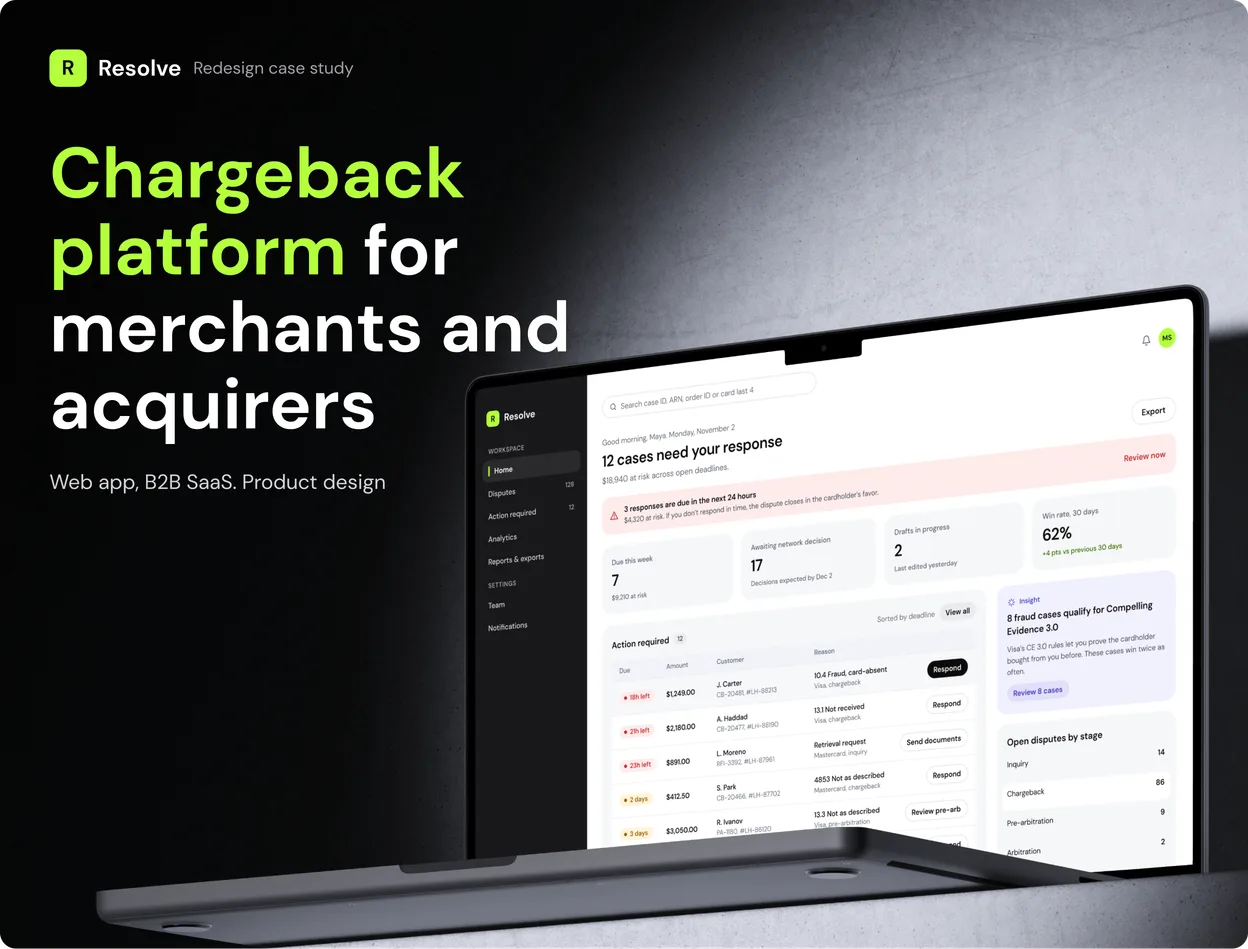
A redesign of a commercial chargeback product I worked on, for merchants and their acquirers.
- Web app
- B2B SaaS
- Fintech
- Payments
- Redesign
01 OVERVIEW
One place where merchants and acquirers handle chargebacks
When a cardholder disputes a payment, the merchant has a few days to prove the charge was valid. If they miss the deadline or send the wrong evidence, the money is gone. I designed Resolve, a web platform where merchants see every dispute, respond with the right evidence on time and track what they win back.
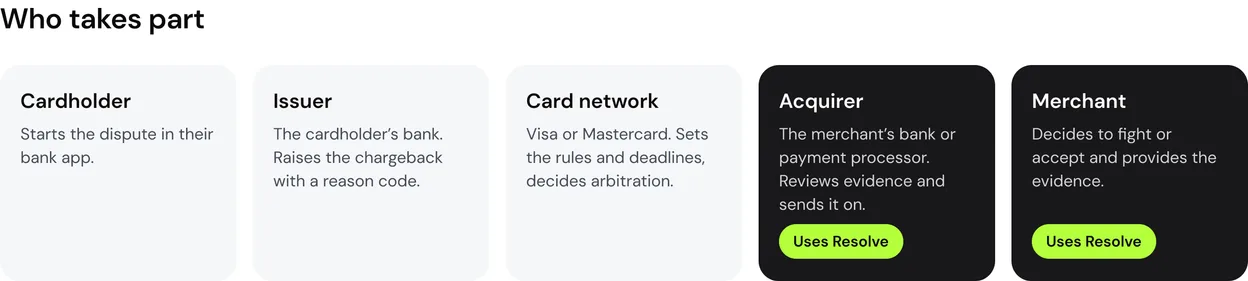
The same disputes also pass through the merchant’s acquirer: the bank or payment processor that accepts card payments for the merchant, like Stripe or Adyen. For acquirers I designed a second interface, a console where analysts review evidence, send it to Visa and Mastercard, and watch which merchants are getting close to network limits.
This is my redesign of a commercial product I worked on. The original is under NDA, so the brand, names, merchants and numbers here are my own.
THE PROBLEMS
The problems I had to solve
01
Deadlines nobody sees
A missed deadline is an automatic loss. In a plain table of disputes nothing tells you which case can’t wait.
02
Evidence that doesn’t match
Each reason code needs its own proof. Merchants uploaded the files they had and lost cases they could have won.
03
Two deadlines for the acquirer
Analysts need time to review evidence before the network cut-off, so they juggle an internal deadline and the network one.
04
Risk found too late
Risky merchants surfaced only when Visa or Mastercard sent a warning. By then, fines were close.
02 DOMAIN
I started by mapping how a dispute moves
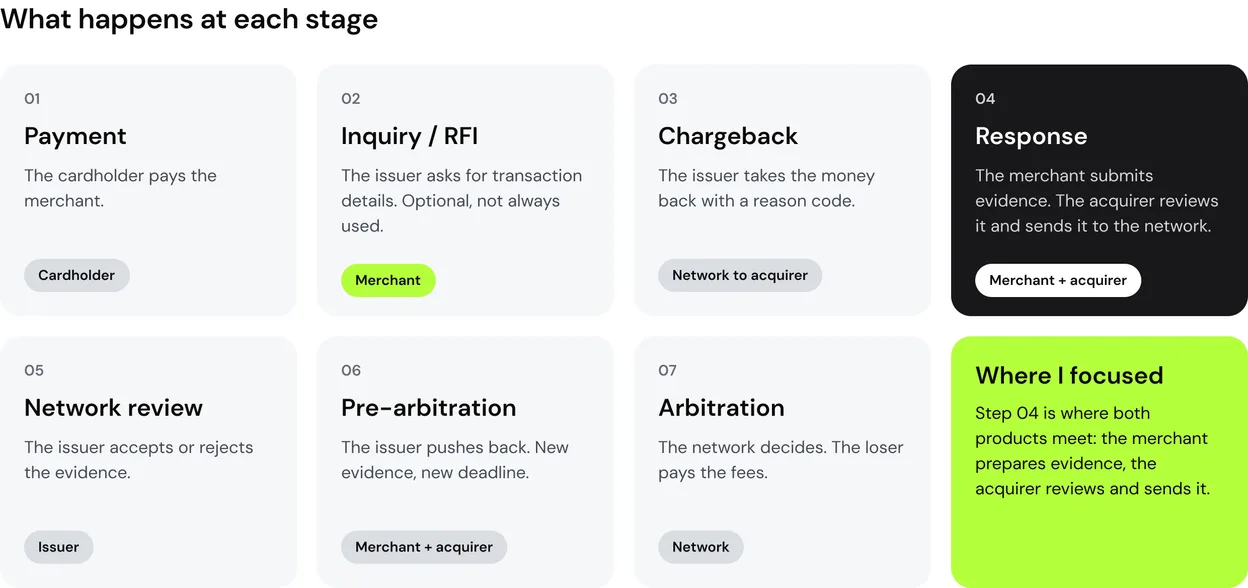
Chargebacks run on strict network rules. Before drawing screens, I mapped who takes part and what happens at each stage. Every stage has a deadline, and missing one means an automatic loss. That’s why deadlines drive the whole interface.
03 USERS
Four roles in two companies
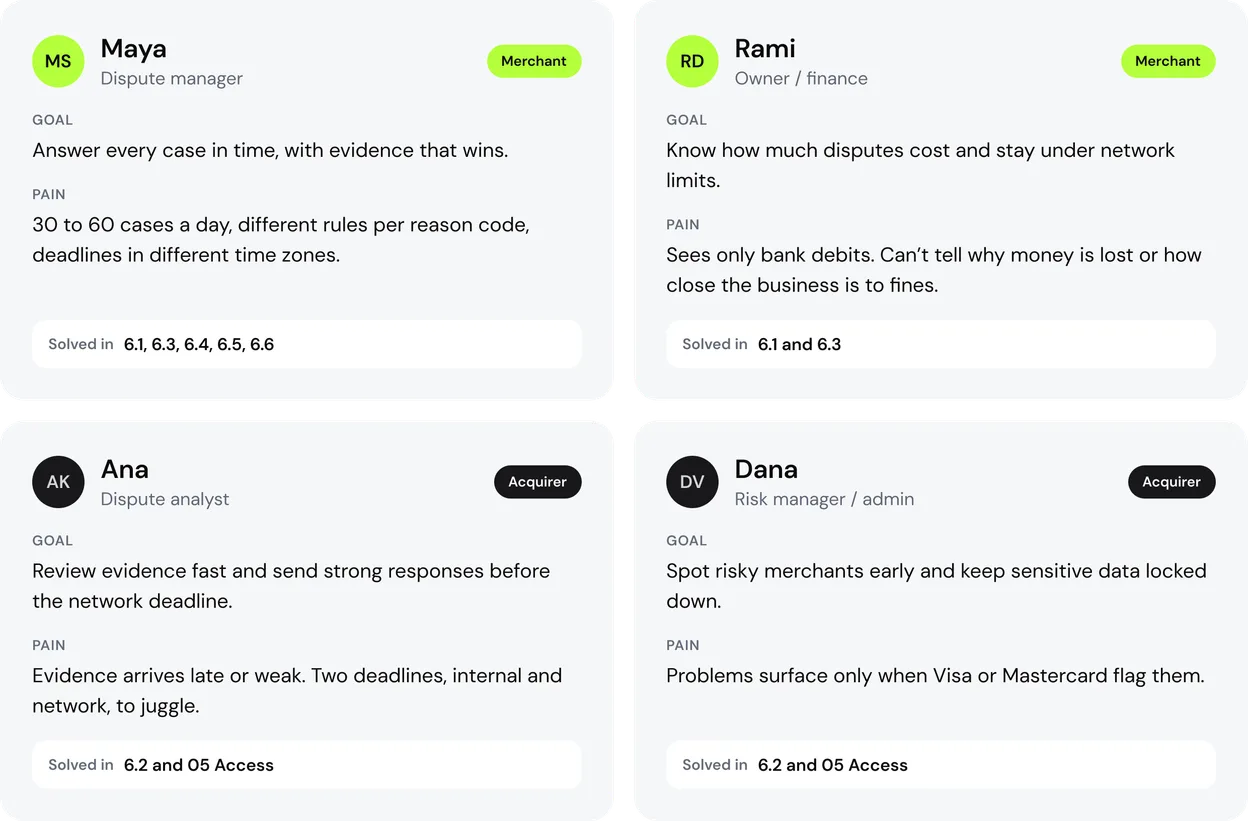
The merchant needs to act fast. The acquirer needs control and the full picture. I designed for both sides and linked each pain to the screen where I solved it.
04 SCENARIOS
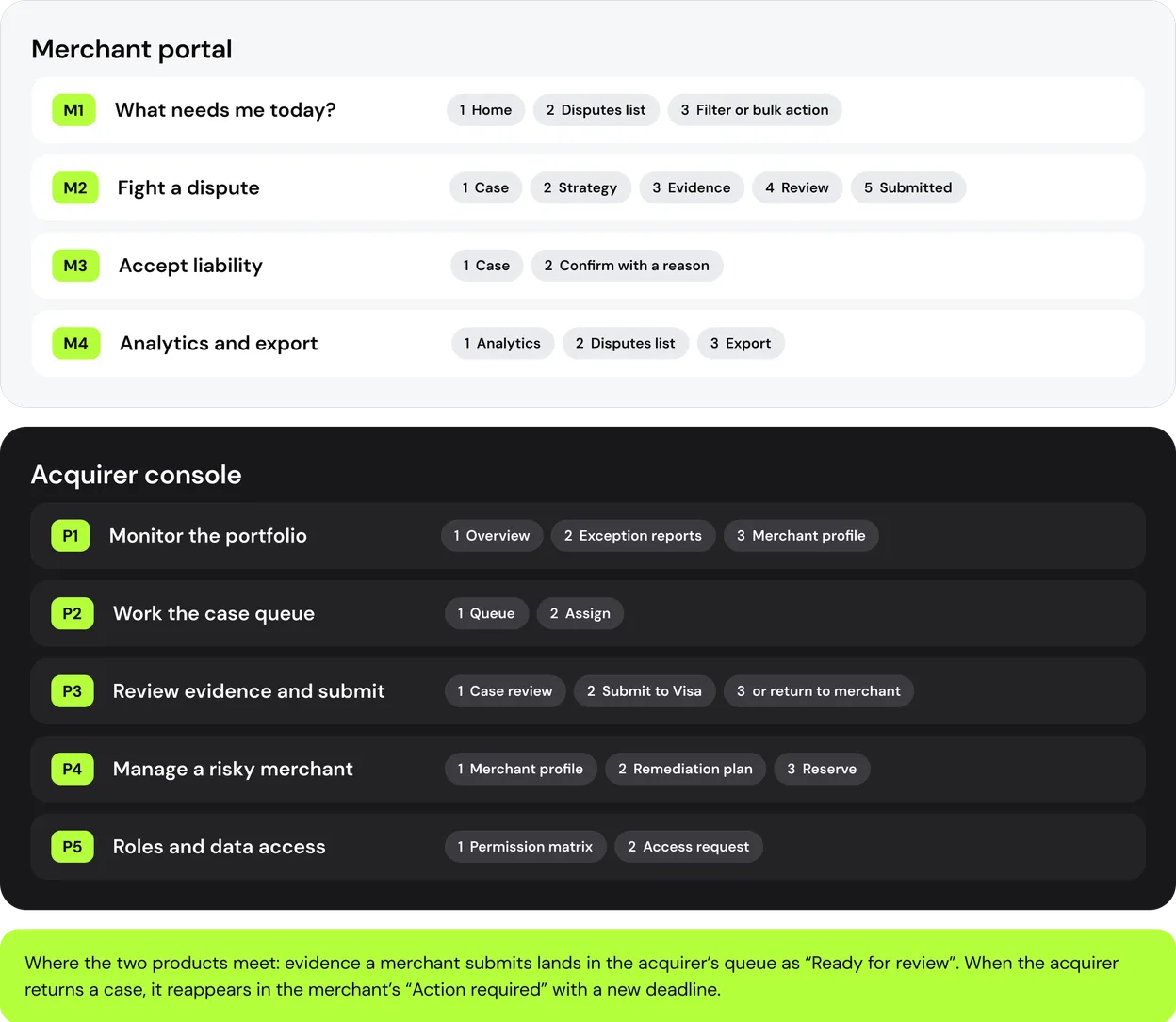
Nine scenarios across two products
I broke the product into scenarios before designing screens. Each one starts with a trigger and ends with a clear result, so no flow leaves the user guessing what happened next.
05 ACCESS
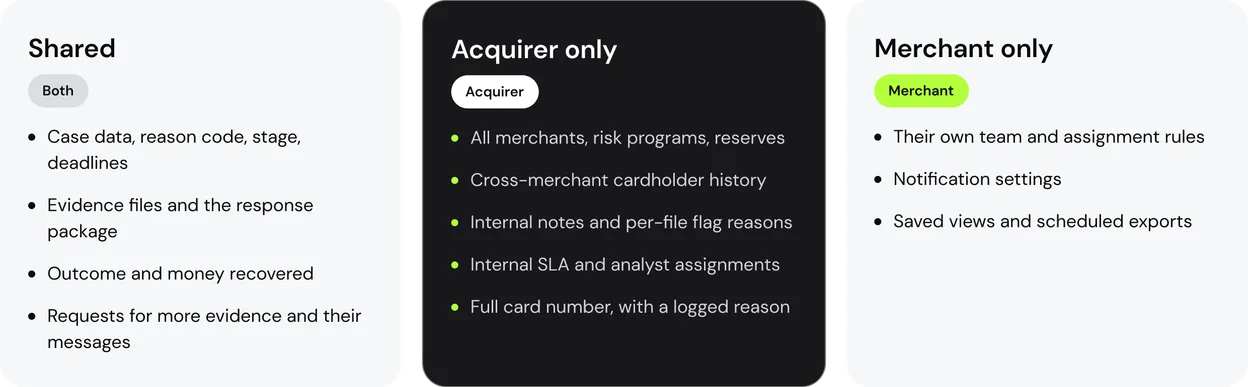
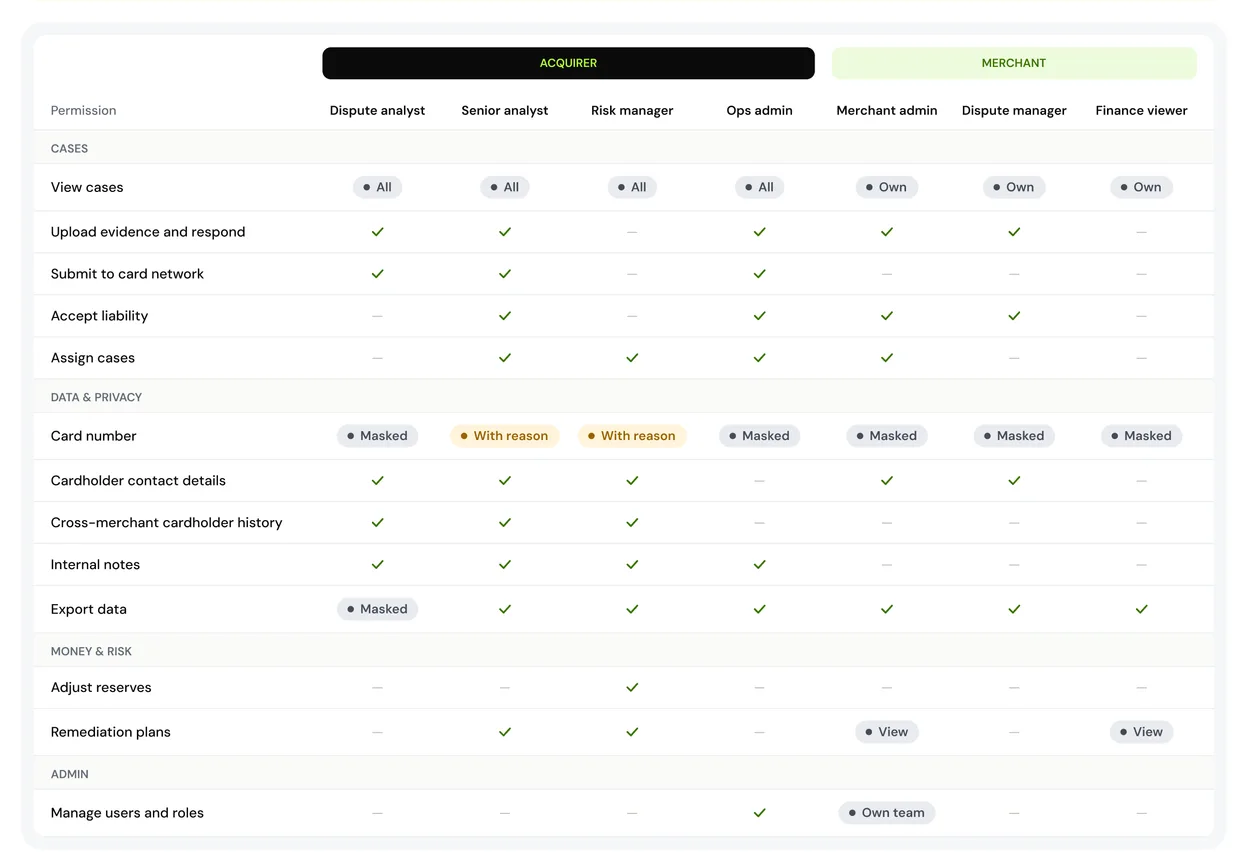
Who sees what
Both companies work with the same disputes, so I had to decide where the data boundary runs. Card numbers stay masked for everyone; revealing one needs a reason and goes to the audit log. Cross-merchant history and internal notes never leave the acquirer side.
06 SOLUTION
The key screens and the decisions behind them
For each screen: the problem I saw and what I did about it. The merchant portal comes first, then the acquirer console, then one full action from start to finish.
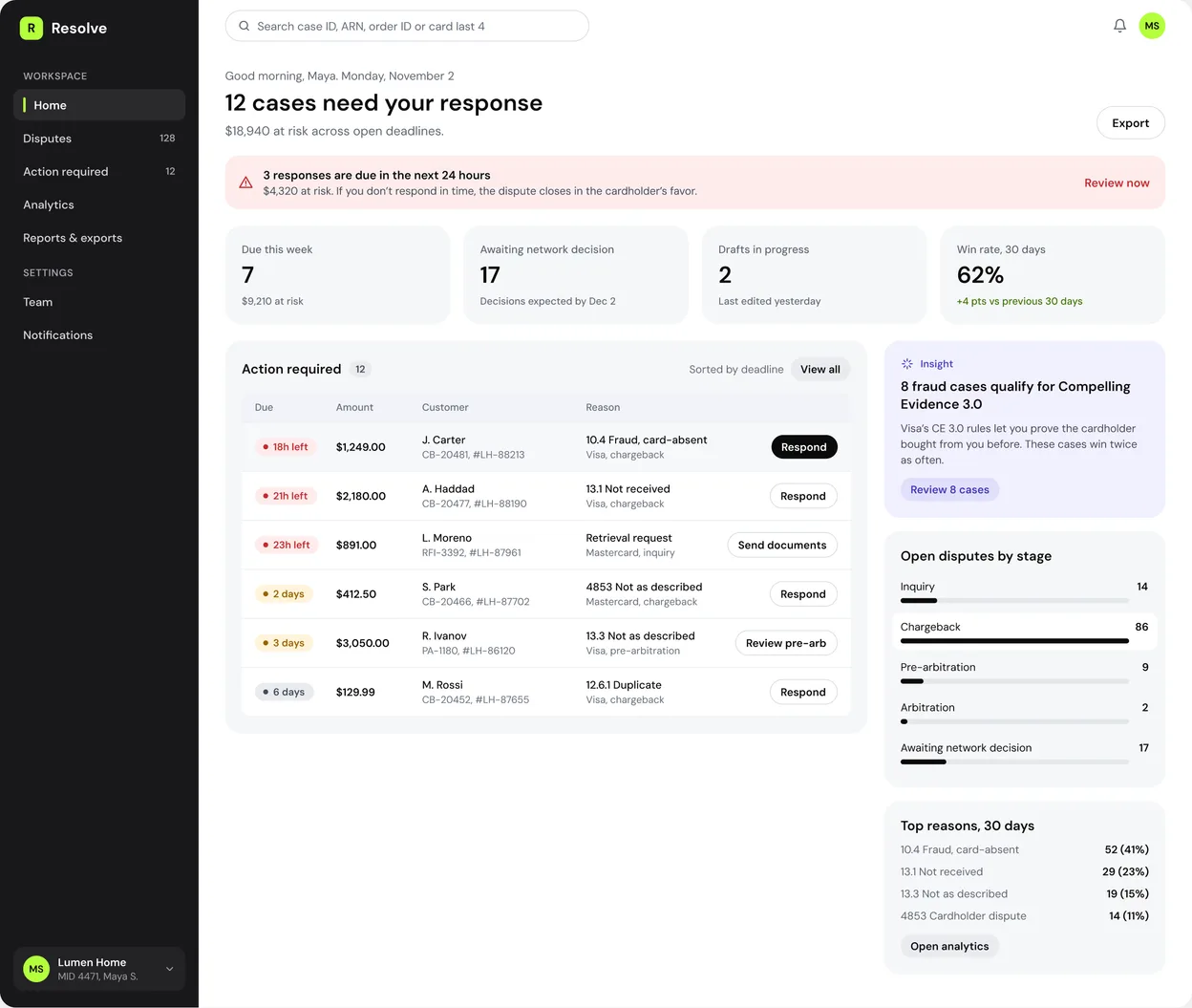
6.1 Merchant home: what needs me today
THE PROBLEM
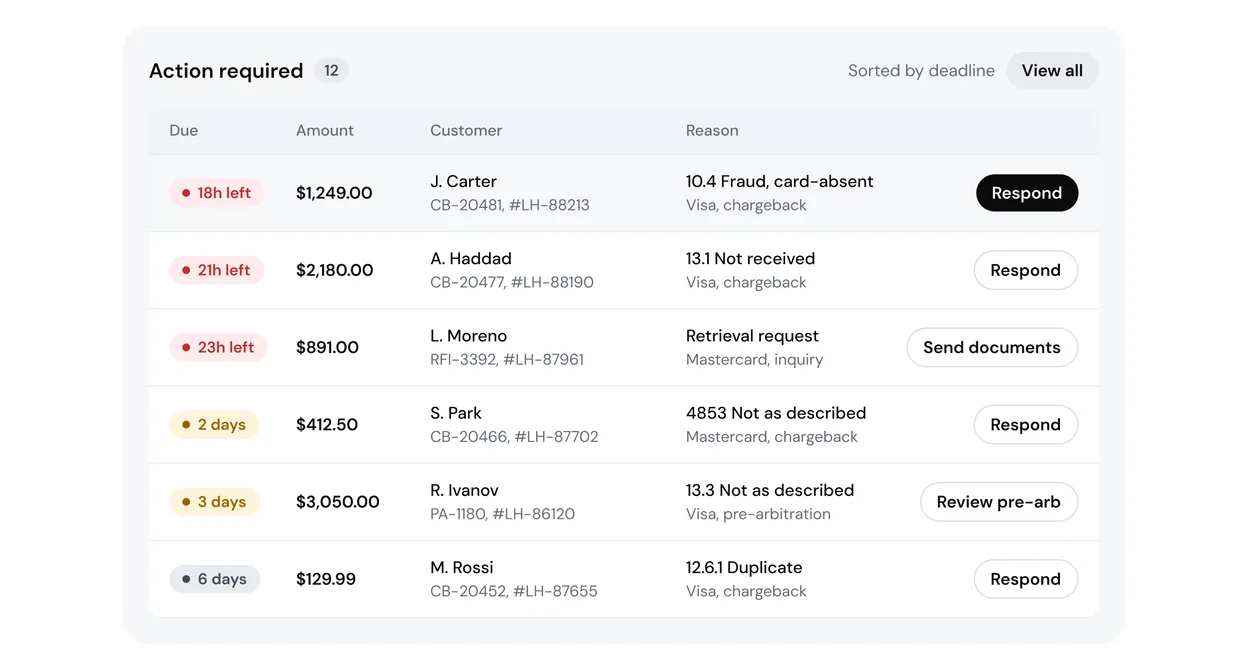
A dispute manager opens the tool every morning with one question: what do I lose if I do nothing today? In a plain table of disputes, an 18-hour deadline looks the same as a 6-day one.
WHAT I DID
The headline states the workload: “12 cases need your response”. The greeting is a small line above it.
Red appears only for the next 24 hours, so urgency keeps its meaning.
The queue is sorted by deadline, and the amount sits right next to it: time and money in one glance.
Only the row under the cursor gets a primary button. Its label follows the stage: Respond, Send documents, Review pre-arb.
6.2 Acquirer console: risk before the networks see it
THE PROBLEM
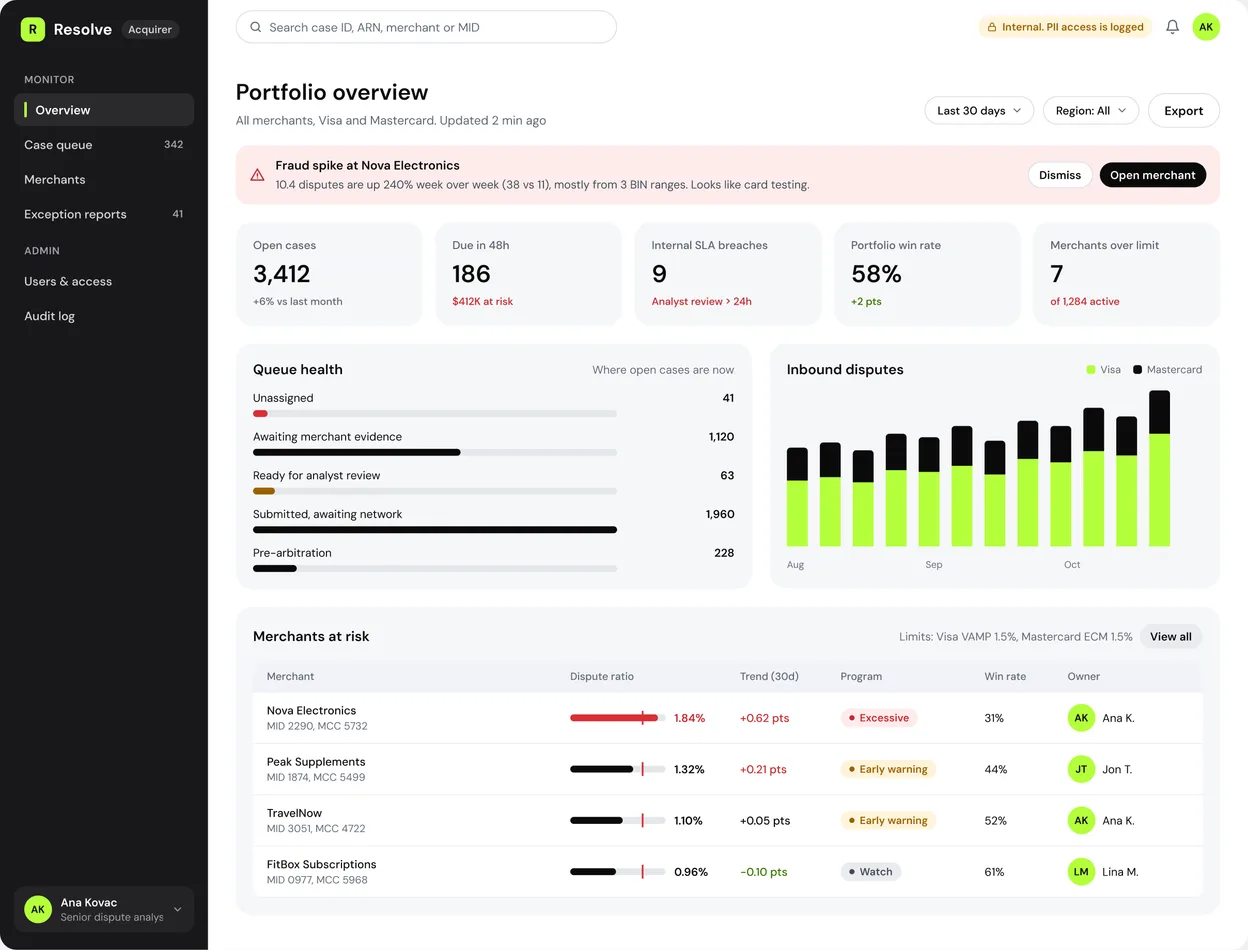
Acquirer analysts learn about a risky merchant when Visa or Mastercard sends a warning. By then the merchant is already over the limit, and fines are close.
WHAT I DID
Each merchant’s dispute ratio is drawn against the network limit, with the trend for the last 30 days.
Anomalies come first: a fraud spike shows up as a banner with the merchant and the pattern behind it.
Queue health shows where cases are stuck, and who holds them: the merchant or the acquirer.
Internal screens carry a “PII access is logged” marker, so analysts always know they are in a sensitive tool.
6.3 Disputes list: queues that match the real work
THE PROBLEM
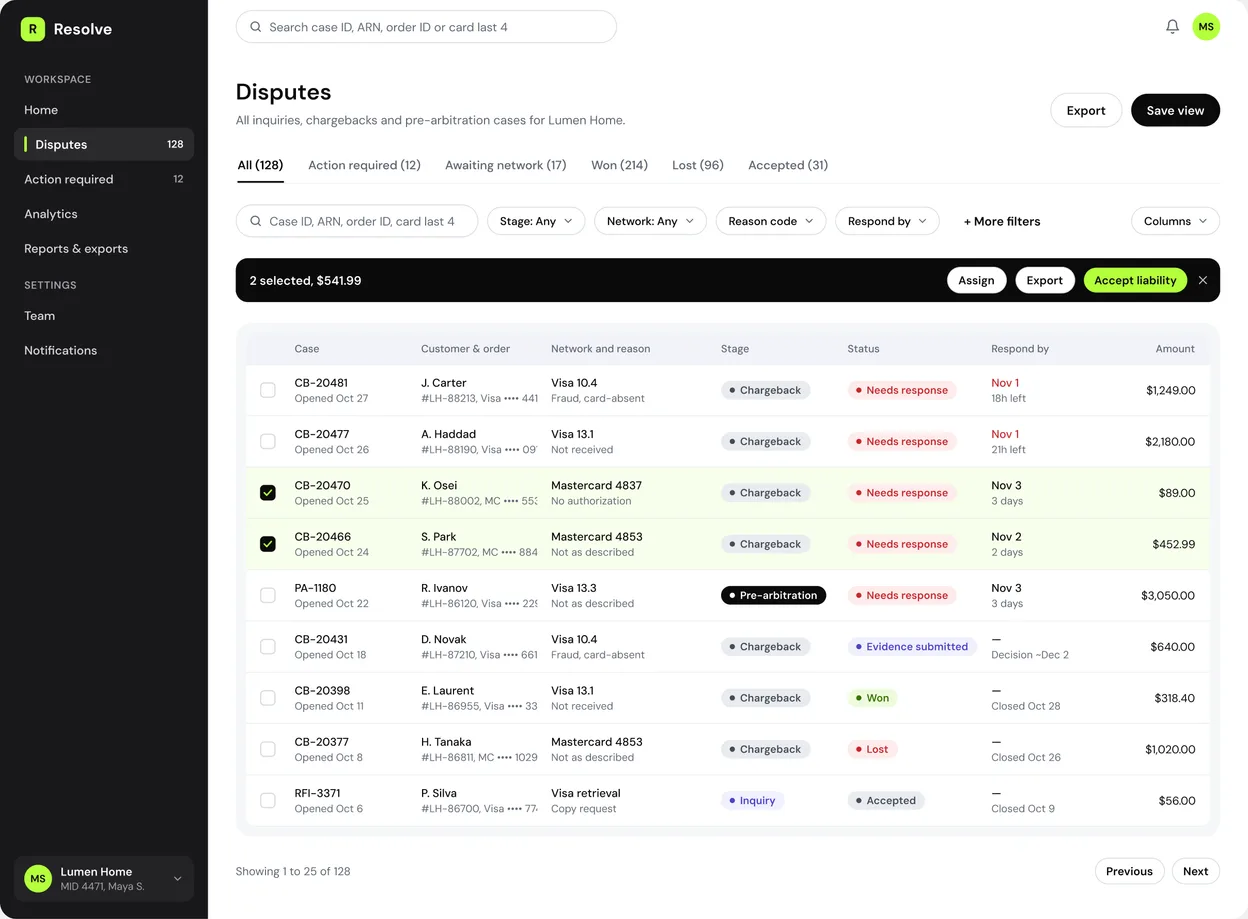
Dispute managers think in queues: what needs a response, what is waiting for the network, what was won or lost. One long list with a status column makes them set the same filters every day.
WHAT I DID
Saved views mirror the real queues, with counts in each tab.
Search works with the IDs people actually have at hand: case ID, ARN, order ID, last 4 digits of the card.
Bulk actions for small amounts, where fighting costs more than the dispute itself.
Selected rows get a light accent tint and a dark action bar with the total amount.
6.4 Case details: how much, why, by when
THE PROBLEM
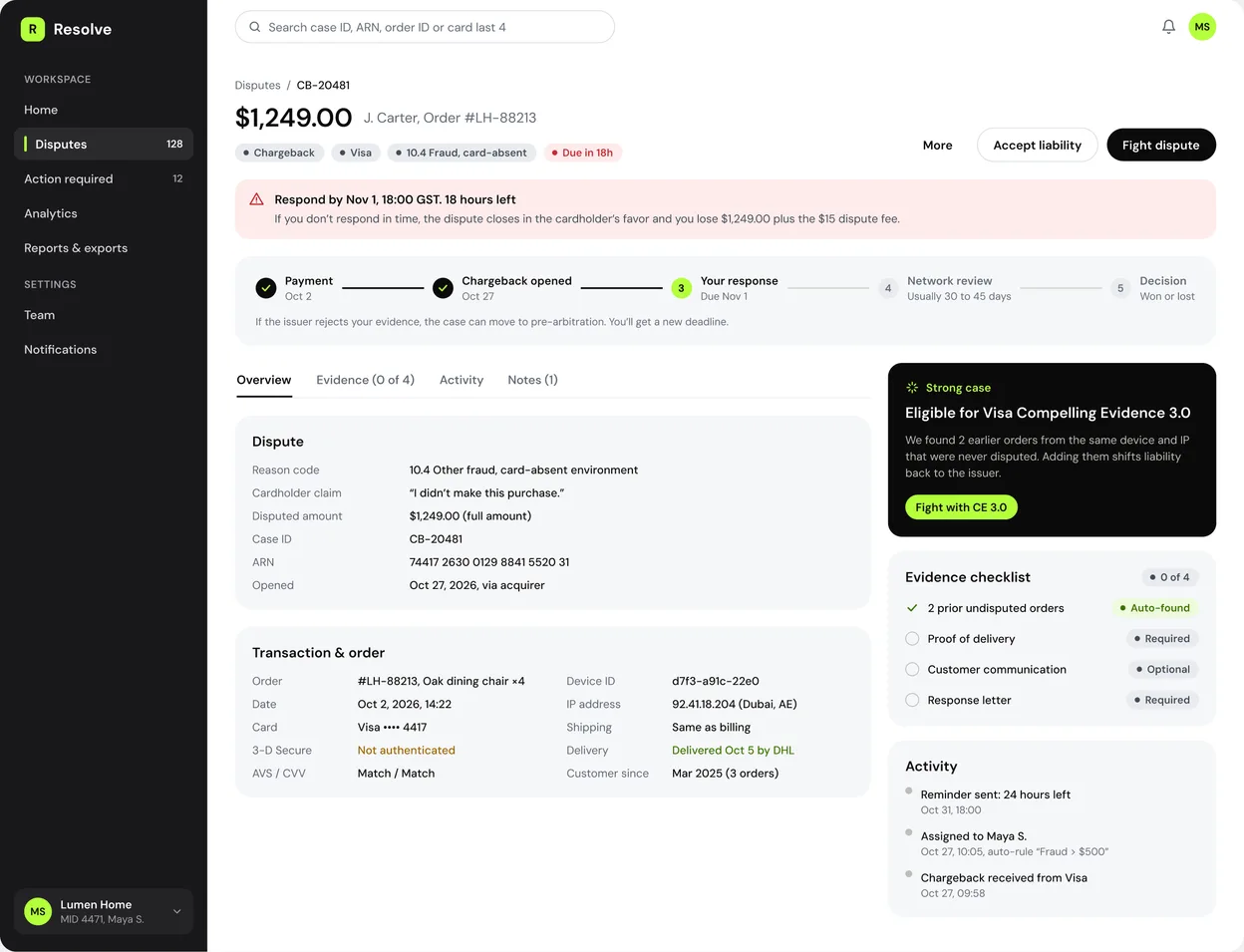
A case page has dozens of fields: ARN, reason code, AVS, device ID, delivery data. A dispute manager needs three answers first: how much is at stake, why the cardholder disputes it, and how much time is left.
WHAT I DID
The top of the page answers those three questions; everything else comes second.
A stepper shows where the dispute is now and what happens if the issuer pushes back.
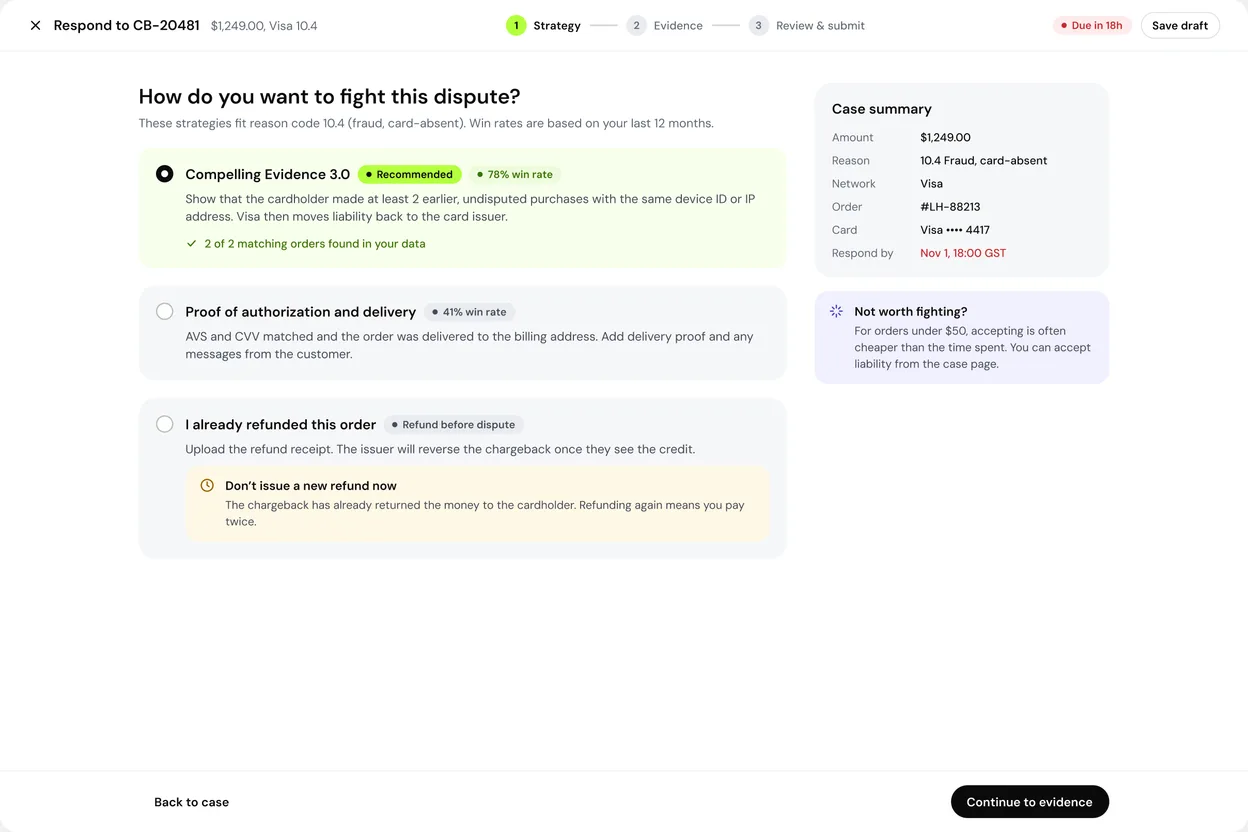
The system checks the order data and suggests the strongest strategy. Here it found 2 earlier orders from the same device, so it suggests Visa Compelling Evidence 3.0.
An evidence checklist shows what is already found and what is still missing.

6.5 Responding: strategy first, then evidence
THE PROBLEM
Every reason code needs its own evidence. With a plain upload field, merchants send the files they happen to have, and those are often the wrong ones.
WHAT I DID
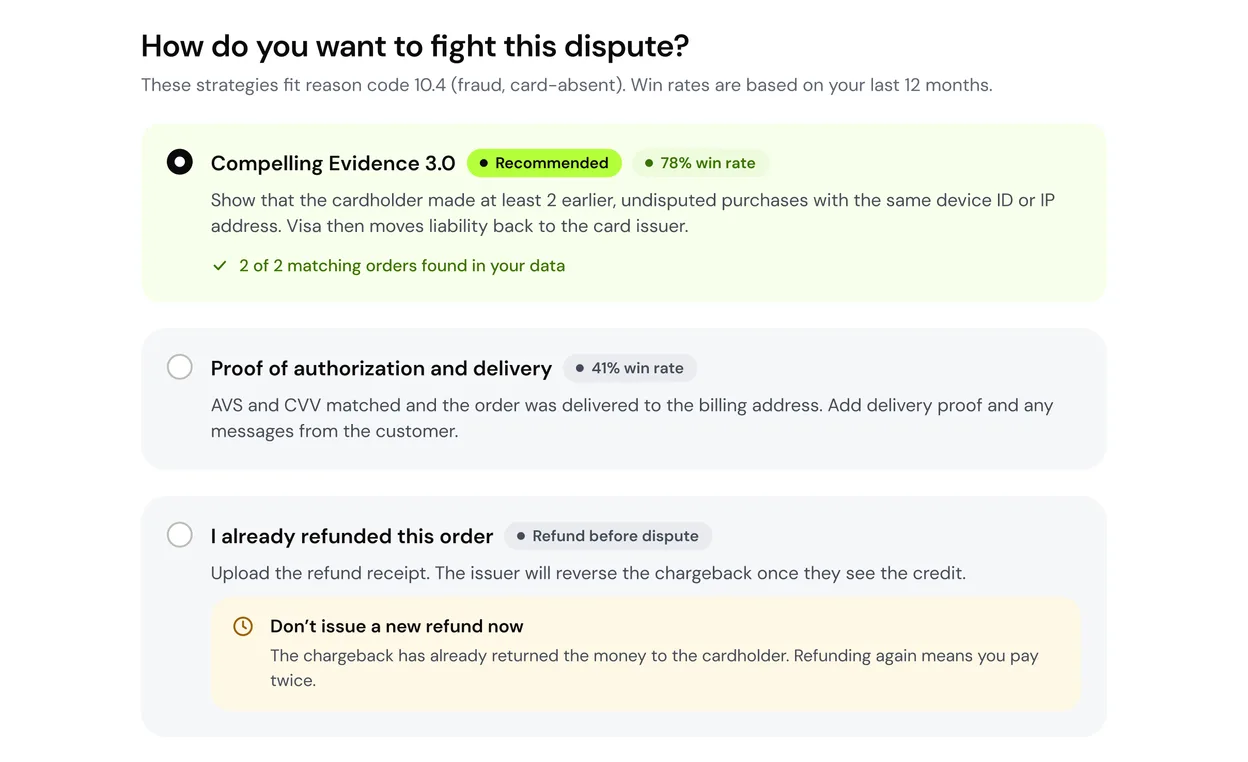
Step 1 asks how to fight. Each option shows a win rate from the merchant’s own history.
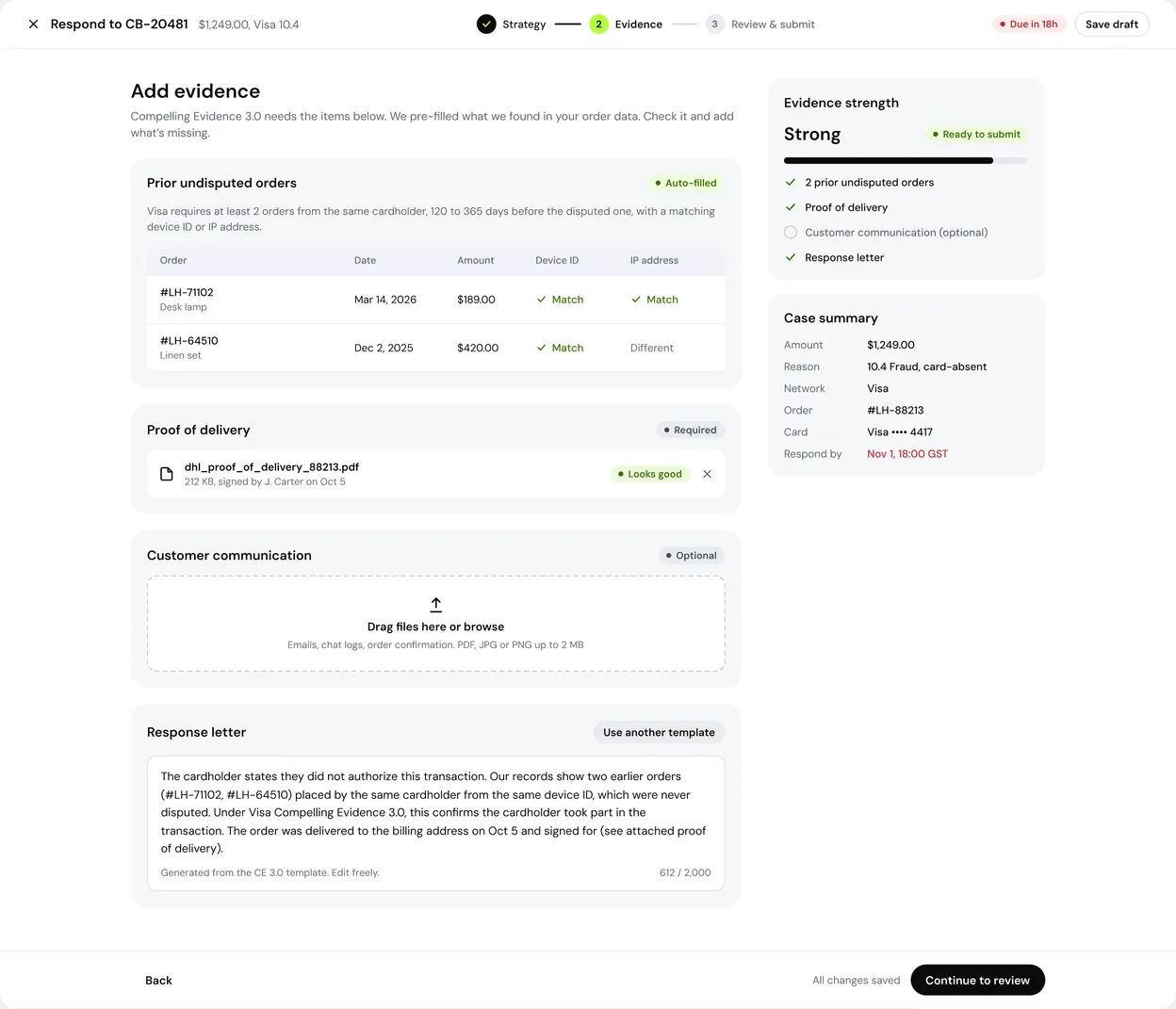
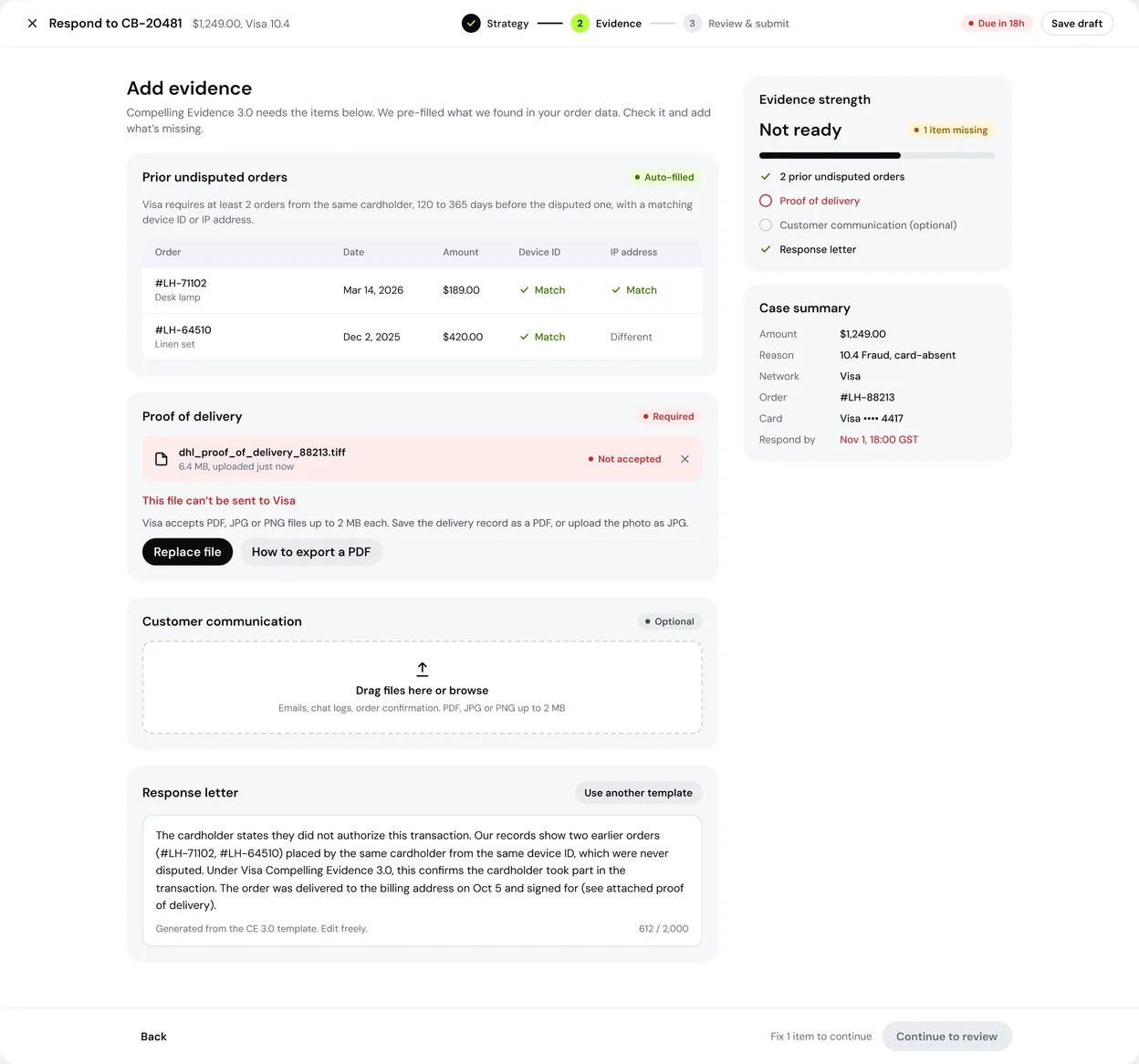
Step 2 builds the checklist from the chosen strategy and pre-fills what the system already knows: matching orders, AVS and CVV, delivery.
A guardrail warns against refunding after a chargeback, a common way to pay twice.
Submitting can’t be undone, so step 3 shows the exact package the issuer will see.
6.6 Success and error states
THE PROBLEM
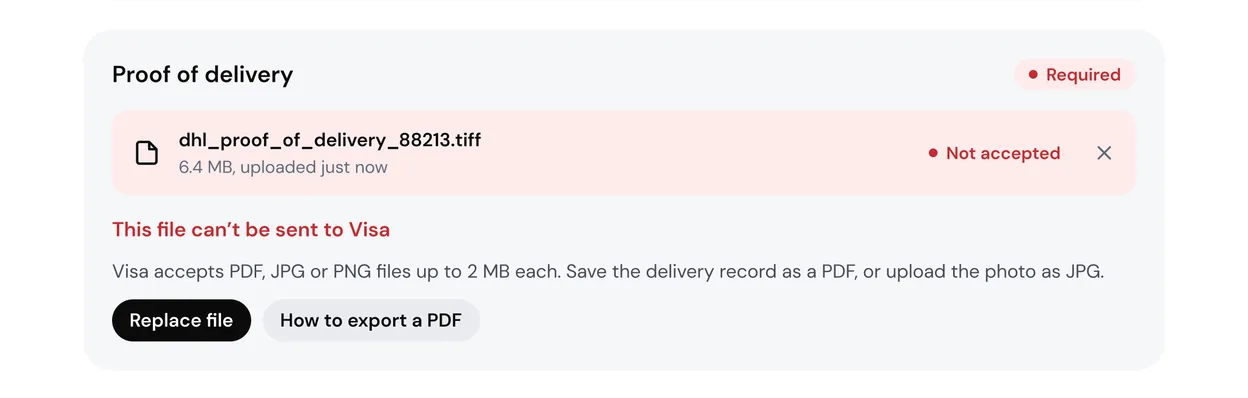
Submitting a response ends a stressful task. If the next step isn’t clear, the user loses their place in the queue. Errors hurt more: “Invalid file” doesn’t tell anyone what Visa accepts.
WHAT I DID
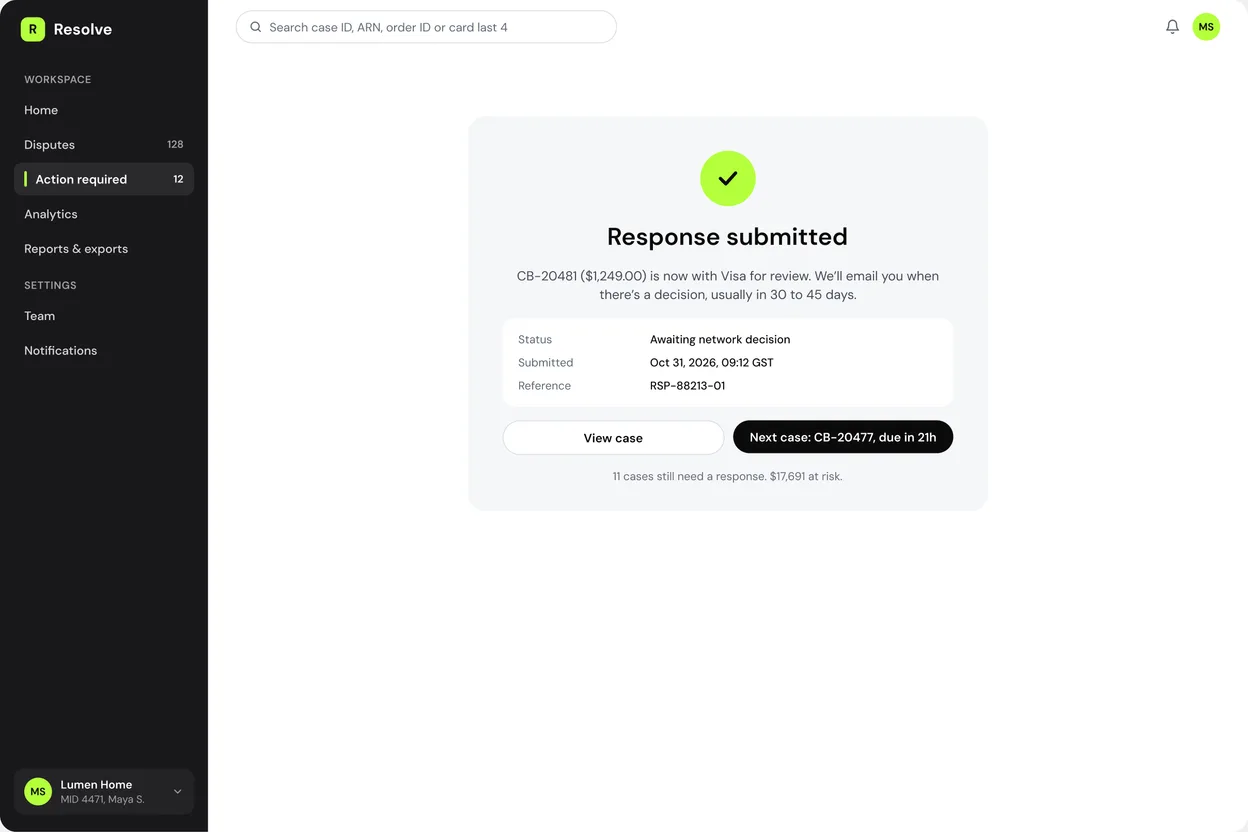
Success confirms what happens next and when, then offers the next most urgent case in one click.
The error names the exact rule (file type and size Visa accepts) and the fix: replace the file or export a PDF.
Until the error is fixed, the evidence strength drops to “Not ready” and the Continue button is disabled with a reason next to it.
07 IMPACT
How I measure whether it works
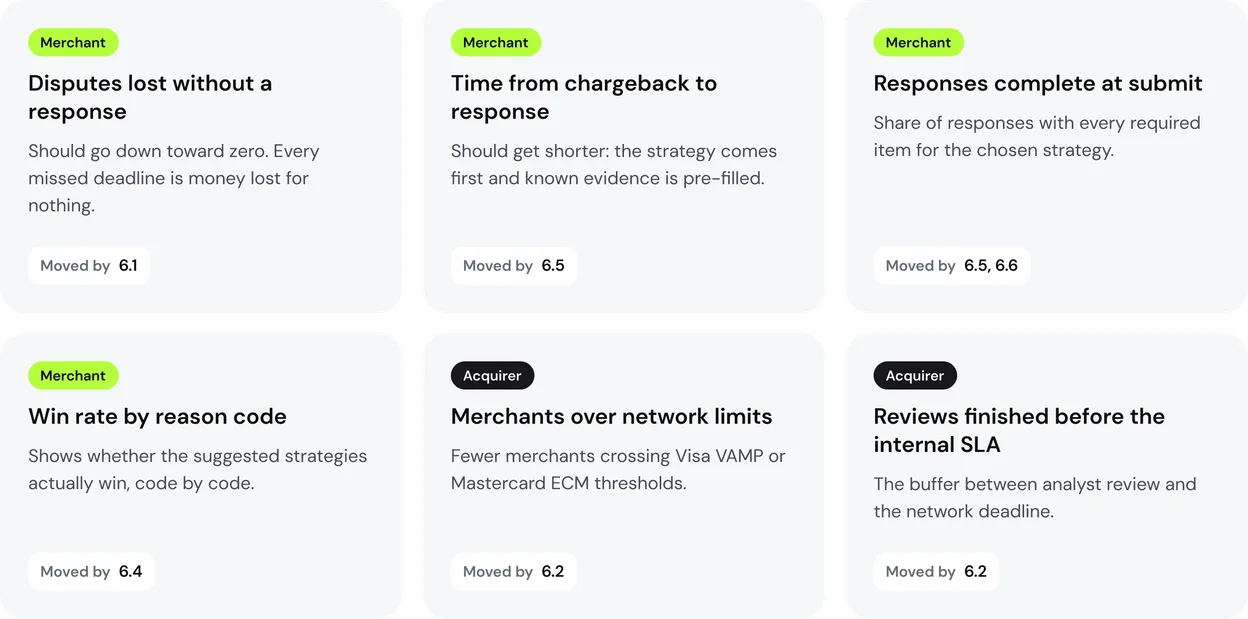
The original product is under NDA, so I can’t share its numbers. These are the metrics I designed the flows around, and each one is tied to the screen that should move it.
What I would design next
Arbitration decision
When the issuer pushes back, show the amount, the arbitration fee and the win chance side by side, and recommend whether to go on.
Empty and team states
“All caught up” for a quiet day, and case owners for merchants with a team of dispute managers.
Pre-dispute alerts
Connect Verifi RDR and Ethoca so merchants can refund before a dispute turns into a chargeback.